If your Shopify store feels slow, your customers feel it too.
Even a one-second delay in load time can reduce conversions, increase bounce rates, and hurt your SEO rankings. That’s why Shopify speed optimization is no longer a “technical improvement” – it’s a revenue strategy.
In this guide, we’ll break down exactly how to improve Shopify site speed, optimize Core Web Vitals, and build a store that loads fast and converts better.
Why Shopify Speed Optimization Matters More Than Ever
A fast Shopify store does three critical things:
- It improves user experience.
- It increases conversion rates.
- It strengthens search engine rankings.
Google now evaluates websites based on Core Web Vitals, which measure loading performance, interactivity, and visual stability. If your store performs poorly on these metrics, your organic rankings and paid traffic efficiency both suffer.
For growing D2C brands, Shopify performance optimization often reduces customer acquisition costs simply by improving conversion rates.
Speed is growth.
Understanding Core Web Vitals for Shopify Stores
To improve performance, you first need to understand what Google measures.
Largest Contentful Paint (LCP)
This measures how quickly the main content (usually your hero image or headline) becomes visible. Ideally, it should load within 2.5 seconds.
On Shopify stores, LCP issues are usually caused by oversized images, heavy themes, or too many third-party scripts.
Interaction to Next Paint (INP)
This measures how quickly your store responds when a user clicks a button or interacts with the page. Slow JavaScript or app scripts often increase INP.
Cumulative Layout Shift (CLS)
This tracks unexpected layout movements. For example, when text jumps because an image loads late. Poorly sized images and dynamic content typically cause high CLS.
If you fix these three metrics, your Shopify page speed optimization will be on the right track.
How to Run a Shopify Website Speed Test
Before making changes, measure your current performance.
Use tools like:
- Google PageSpeed Insights
- GTmetrix
- Shopify’s built-in speed report
Focus primarily on mobile performance, since most e-commerce traffic is mobile-first. Look beyond the overall score and study the specific performance recommendations. That’s where the real improvement opportunities are hidden.
How to Increase Shopify Website Speed (Proven Methods)
1. Optimize Shopify Images Properly
Images are the most common reason Shopify stores load slowly.
Uploading a 4000px banner image directly from a DSLR camera will significantly slow your LCP score. Instead, resize images before uploading, use modern formats like WebP, and ensure file sizes remain optimized without compromising quality.
When you properly optimize Shopify images, you can reduce load time dramatically without changing your design.
2. Use Shopify Image Compression Strategically
Shopify automatically compresses images to some extent, but manual compression tools or performance-focused solutions can reduce file size further.
Good compression maintains visual quality while reducing file weight – a crucial step in serious Shopify speed optimization.
3. Audit and Remove Unnecessary Apps
Every installed app injects scripts into your store. Even if an app is disabled, its code may still remain.
Store owners often install multiple apps for popups, reviews, tracking, and analytics – unintentionally slowing down the site.
A proper Shopify performance optimization audit includes removing redundant apps and cleaning leftover code.
4. Reduce Render-Blocking JavaScript
Many themes and apps load scripts before the page becomes visible. This delays LCP and increases interaction delays.
Deferring non-critical scripts and restructuring how JavaScript loads can significantly improve Core Web Vitals.
This is where surface-level fixes end and technical optimization begins.
5. Improve Theme Efficiency
Not all Shopify themes are built equally.
Some multipurpose themes come loaded with animations, sliders, and features you may never use. These extras increase file size and slow performance.
Sometimes the fastest way to improve speed is simplifying your theme structure or rebuilding critical components with performance in mind.
6. Optimize Fonts and External Scripts
Custom fonts and marketing scripts are often overlooked speed killers.
Limiting font variations and carefully loading third-party scripts can meaningfully reduce total blocking time.
Most stores don’t realize how much Facebook pixels, chat widgets, analytics tools, and heatmaps impact performance until they conduct a proper Shopify website speed test.
Shopify Page Speed App vs Custom Optimization
Many store owners search for a “Shopify page speed app” hoping for a one-click fix.
Here’s how they compare:
| Criteria | Shopify Speed App | Custom Optimization |
|---|---|---|
| Setup Time | Quick | Requires technical work |
| Image Compression | Yes | Yes |
| Code Cleanup | Limited | Advanced |
| Core Web Vitals Fix | Partial | Comprehensive |
| Best For | Small stores | Scaling brands |
Apps can help with surface improvements like image compression or lazy loading. But they rarely fix deep structural issues.
If your mobile score is below 50, app-based solutions usually won’t be enough.
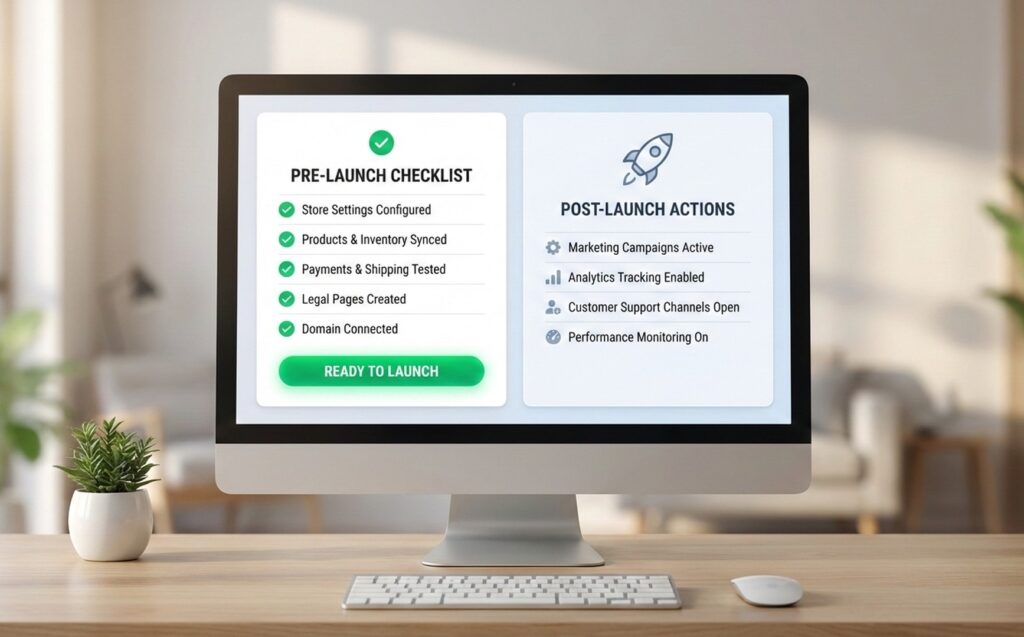
A Practical Shopify Speed Optimization Checklist
Here’s a simplified action checklist you can follow:
- Ensure LCP loads under 2.5 seconds
- Compress and resize all large images
- Remove unused or duplicate apps
- Defer non-essential JavaScript
- Reduce third-party tracking scripts
- Fix layout shifts by defining image dimensions
- Test mobile performance after every major change
If you implement these correctly, you’ll see measurable improvement.
When Should You Consider Professional Shopify Performance Optimization?
You may need expert help if:
Your store loads in more than three seconds on mobile.
Your Core Web Vitals scores remain poor despite using apps.
Your ad traffic isn’t converting as expected.
You’re scaling paid campaigns and need stable performance.
For scaling brands, speed directly impacts ROAS, SEO growth, and user experience.
Professional Shopify speed optimization isn’t about chasing a perfect 100 score – it’s about improving real business metrics.
Final Thoughts
Improving Shopify site speed is one of the highest ROI technical improvements you can make.
When you optimize correctly:
- Pages load faster
- Users stay longer
- Conversions increase
- SEO improves
- Ad costs decrease
Speed becomes a competitive advantage – not just a technical metric.